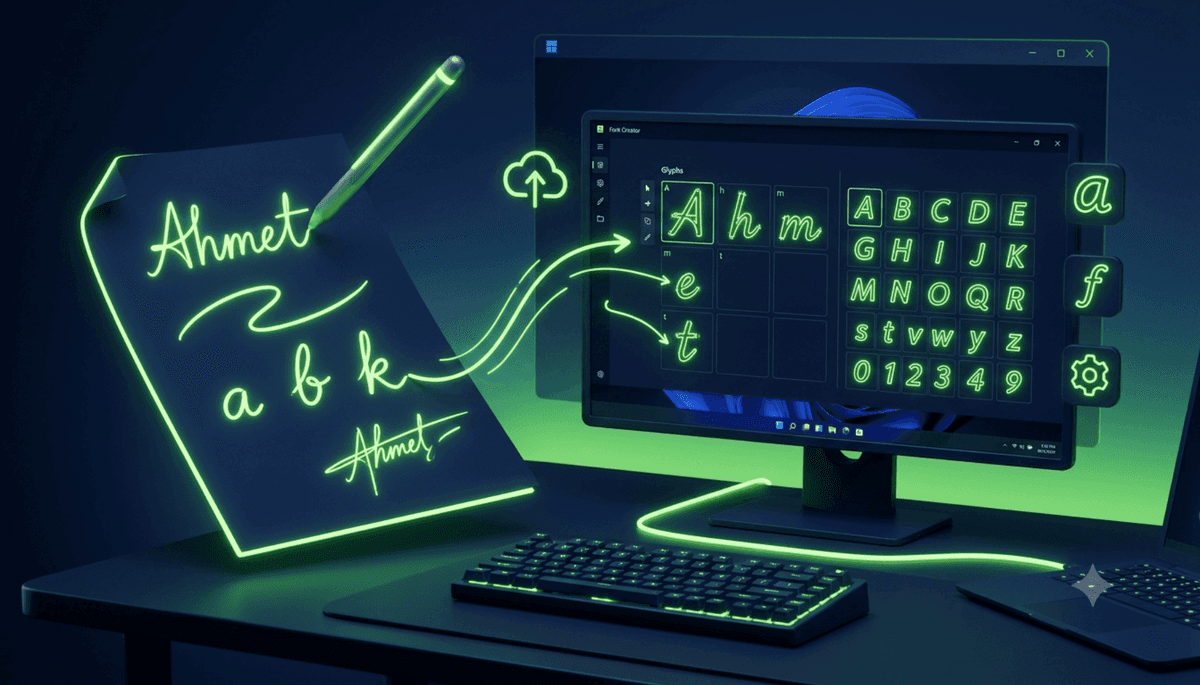
How to Turn Your Handwriting Into a Windows Font!

 08.04.2026
Every Word on Your Computer Can Now Be Written in Your Own Handwriting
Digital typography continues to evolve, offering users thousands of fonts for documents, presentations, and creative projects. Popular typefaces such as Arial, Calibri, and Times New Roman are widely used across millions of computers, but they are no longer your only option. Thanks to modern online font creation services, you can transform your own handwriting into a fully functional digital font and install it on Windows in just a few simple steps.
The best part is that you don't need professional design skills or expensive font-editing software. A printable template, a black pen, and even your smartphone camera are enough to create a personalized typeface that reflects your unique handwriting style.
Why Is Converting Handwriting Into a Digital Font Becoming So Popular?
Personalization has become one of the biggest trends in modern technology. Users no longer customize only wallpapers, icons, and themes—they also want their documents and digital content to have a more personal appearance.
Custom handwriting fonts have become increasingly popular among:
- Students
- Teachers
- Graphic designers
- Content creators
- Digital artists
- Invitation designers
- Comic and webtoon creators
Using a personal font makes digital documents feel more authentic while saving the time required to write everything by hand.
How Are Handwriting Fonts Created?
The process is surprisingly straightforward.
Users first download a character template containing letters, numbers, and punctuation marks. Each character is written inside its designated box using the user's natural handwriting.
Once completed, the template is scanned or photographed with a high-resolution camera.
Image recognition technology then analyzes every handwritten character, extracts its shape, and converts it into a digital font file.
The finished font can usually be downloaded in TrueType (TTF) or OpenType (OTF) format, making it compatible with Windows and most modern software without requiring additional tools.
Installing Your Font on Windows Takes Only a Few Seconds
Installing a custom font is as easy as installing any other Windows typeface.
Simply double-click the downloaded font file and select Install.
Once installed, the font becomes available in applications such as:
- Microsoft Word
- Microsoft Excel
- Microsoft PowerPoint
- Adobe Photoshop
- Adobe Illustrator
- CorelDRAW
- Canva Desktop
- Notepad
- Hundreds of other font-compatible applications
From that point on, everything you type can appear as though it was written by hand.
What Does the Free Version Offer?
One of the most popular handwriting font generators, Calligraphr, offers a free plan that covers the needs of most users.
The free version allows users to create a personalized font using essential characters and download it in both TTF and OTF formats.
The generated fonts are fully portable, meaning they can be installed on any compatible Windows computer. According to the service, users retain ownership of the fonts they create, including the ability to use them commercially.
Advanced Features for More Natural-Looking Handwriting
One of the most interesting features offered by advanced font generators is character variation.
In real handwriting, no one writes the exact same letter identically every single time. Some font creation tools replicate this behavior by generating multiple variations of individual characters, making digital text appear much more natural.
Additional features such as ligatures, custom spacing, and advanced character editing further improve the realism of handwritten fonts.
Tips for Achieving the Best Results
The quality of your finished font depends largely on how carefully you prepare the template.
For the best outcome, experts recommend:
- Use a black ink or felt-tip pen.
- Keep every character inside its designated box.
- Write naturally without forcing your handwriting.
- Scan the page under good lighting conditions.
- Capture high-resolution images if using a smartphone.
- Maintain consistent letter sizing throughout the template.
These small details can significantly improve the overall readability and appearance of the finished font.
Where Can You Use Your Custom Handwriting Font?
Personal handwriting fonts are useful for much more than creative experimentation.
Many professionals and content creators use custom fonts as part of their personal branding strategy.
Common use cases include:
- YouTube thumbnails
- Social media graphics
- Wedding invitations
- Digital planners
- Educational worksheets
- PDF documents
- E-books
- Comics and graphic novels
- Personal journals
- Blogs and websites
Teachers, in particular, often create worksheets using their own handwriting, giving learning materials a more personal and approachable feel.
Alternative Font Creation Tools
Although Calligraphr is one of the most popular options available, it is not the only solution.
Open-source software such as FontForge provides advanced font editing capabilities for experienced users, while newer AI-powered tools are beginning to generate fonts from only a few handwriting samples.
Despite these innovations, template-based online font generators remain the easiest and most accessible choice for most people.
Creating a custom handwriting font is one of the simplest ways to personalize your digital experience.
With only a few minutes of preparation, you can transform your handwriting into a fully functional Windows font that works across Microsoft Office, Adobe Creative Cloud, and countless other applications.
Whether you're designing creative projects, producing educational materials, or simply adding a personal touch to everyday documents, a custom handwriting font allows your digital content to truly reflect your own unique style.