PC Assembly Guide

 07.16.2026
PC Building Guide: How to Build a Computer That Fits Your Needs
Building a PC is one of the most effective ways to achieve the performance you need while tailoring the system to your specific requirements. In this guide, you'll learn what to consider during the PC building process, how to choose the right components, and the key factors for creating a compatible and balanced system.
What Is PC Building?
PC building is the process of selecting individual hardware components to create a computer tailored to your needs. Unlike pre-built systems, you choose the processor, graphics card, motherboard, and other components based on your budget and intended use.
This approach allows you to invest only in the hardware you actually need. It also makes upgrading your system much easier in the future.
What Should You Consider When Building a PC?
The most important aspect of building a successful PC is ensuring that all components are compatible with one another. Instead of investing heavily in a single high-performance component, it's generally more effective to build a well-balanced system.
Key considerations include:
- Define the primary purpose of the computer.
- Check CPU and motherboard socket compatibility.
- Verify the supported RAM type and frequency.
- Ensure the power supply has sufficient capacity.
- Match the case size with the motherboard form factor.
- Choose a cooling solution compatible with your processor.
- Consider storage capacity and connection interfaces.
- Plan for future hardware upgrades.
What Components Do You Need to Build a PC?
A desktop computer requires several essential components to function. Some parts are necessary for the system to operate, while others directly affect performance.
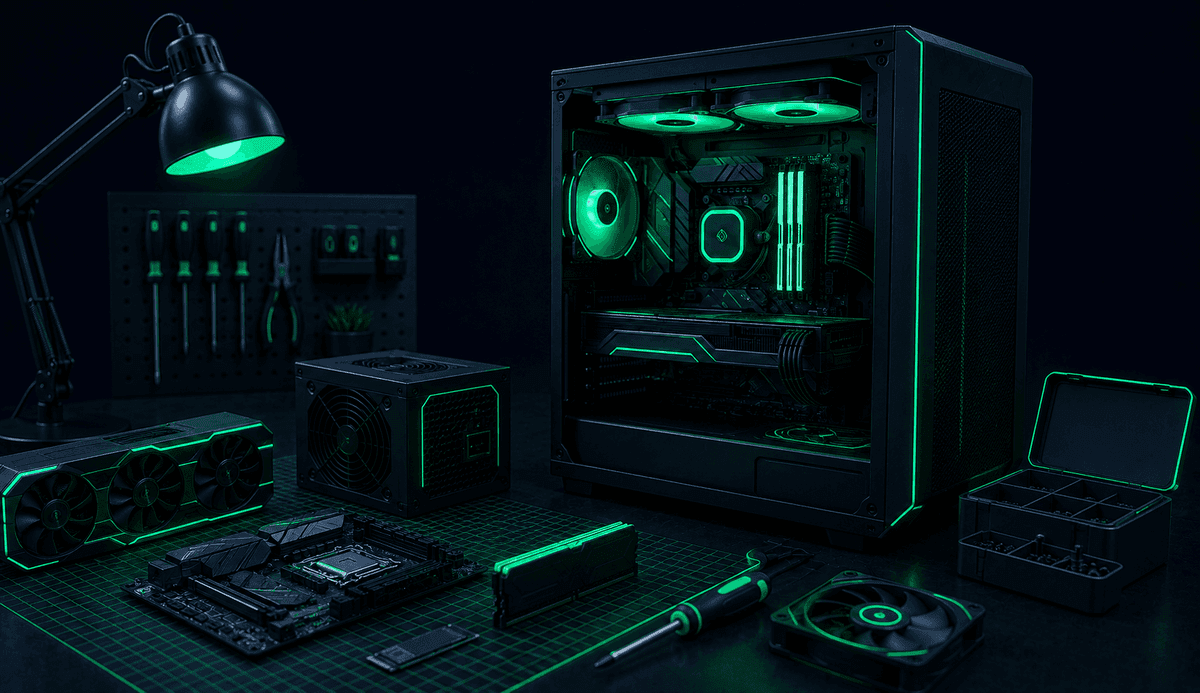
The core PC components include:
- Processor (CPU)
- Motherboard
- RAM
- Graphics Card (GPU)
- SSD or HDD
- Power Supply Unit (PSU)
- PC Case
- CPU Cooler
- Case Fans (if needed)
How to Choose a Processor (CPU)
The processor is responsible for handling all computing tasks. Gamers, software developers, and video editors often have different performance requirements, so your choice should be based on your intended workload rather than simply the model name.
When selecting a CPU, consider specifications such as:
- Number of cores
- Thread count
- Cache size
- Power consumption
It's also essential to ensure that the processor is compatible with your motherboard's socket.
Why Is Motherboard Selection Important?
The motherboard is the central component that connects all hardware together. Your motherboard affects not only CPU compatibility but also RAM support, storage options, and expansion capabilities.
Buying a more expensive motherboard doesn't always provide additional value. Instead, choose one that offers the connectivity, features, and upgrade options you actually need.
What Should You Consider When Choosing RAM?
RAM provides temporary memory that allows applications to run smoothly. Insufficient RAM can significantly reduce overall system performance.
When selecting RAM, consider:
- Supported DDR generation
- Capacity
- Frequency
- Latency
- Dual-channel support
It's important to ensure that your RAM is fully compatible with your motherboard.
How to Choose a Graphics Card
The graphics card plays a critical role in gaming, graphic design, AI workloads, and video editing. For everyday office tasks, however, the integrated graphics processor included with many CPUs may be sufficient.
When choosing a GPU, consider:
- Your target resolution
- Your monitor specifications
- The software you'll be using
This helps prevent buying hardware that is either unnecessarily powerful or insufficient for your needs.
Should You Choose an SSD or an HDD?
Storage devices directly affect boot times and file access speeds. Today, SSDs have become the preferred option for most systems due to their superior performance.
The main differences include:
- SSDs provide significantly faster read and write speeds.
- HDDs offer higher storage capacities at a lower cost.
- SSDs are ideal for operating systems and frequently used applications.
- HDDs can serve as economical secondary storage for large files.
Many users combine both SSDs and HDDs to benefit from both speed and storage capacity.
Why Is Choosing the Right Power Supply (PSU) Important?
The power supply delivers electricity to every component in your computer. A high-quality PSU is essential for system stability and hardware protection.
When selecting a PSU, consider not only its wattage but also:
- Efficiency certifications (such as 80 PLUS)
- Build quality
- Manufacturer reliability
It's also wise to account for future hardware upgrades.
How to Choose a PC Case
A PC case offers much more than aesthetics. It also determines airflow, cooling performance, and hardware compatibility.
When selecting a case, check:
- Motherboard support
- Maximum graphics card length
- CPU cooler clearance
- Fan mounting options
- Cable management space
- Front-panel connectivity
A case with excellent airflow helps maintain lower temperatures and improves overall system performance.
Why Is Cooling Important?
Processors and other components generate heat during operation. Inadequate cooling can reduce performance and cause hardware to run at higher temperatures.
For standard workloads, the stock CPU cooler included with many processors may be sufficient. However, users running demanding applications may benefit from upgraded air coolers or liquid cooling solutions.
What Should You Consider When Building a Gaming PC?
When building a gaming PC, focusing solely on the graphics card is a common mistake. A balanced system delivers smoother performance and helps avoid bottlenecks.
Important considerations include:
- A balanced CPU and GPU combination
- Sufficient RAM capacity
- A fast SSD
- Effective cooling
- Hardware appropriate for your monitor's resolution
Common Mistakes When Building a PC
First-time PC builders often make several common mistakes that can reduce performance or increase costs.
The most frequent mistakes include:
- Buying incompatible components
- Choosing an underpowered PSU
- Ignoring proper airflow
- Spending too much on a single component
- Building without considering future upgrades
- Neglecting BIOS and driver updates
Is Building a PC Better Than Buying a Pre-Built System?
There isn't a single correct answer.
For users with technical knowledge, building a PC offers greater flexibility, customization, and upgrade potential. Pre-built systems, on the other hand, are a convenient option for those who prefer a ready-to-use solution without handling assembly.
Your decision should be based on your budget, technical experience, and future upgrade plans.
Final Thoughts
Building your own PC is an excellent way to achieve the performance you need while creating a system tailored to your specific requirements. By carefully selecting compatible components, planning a balanced configuration, and considering future upgrades, you can build a computer that delivers reliable performance for many years to come.