What is VSync and Why is it Used?

 11.01.2025
What Is VSync and Why Is It Used?
Do you experience screen tearing or frame skipping while gaming? In this article, you’ll learn what VSync technology is, how it works, and when it should be used to solve these common visual issues.
What Is VSync?
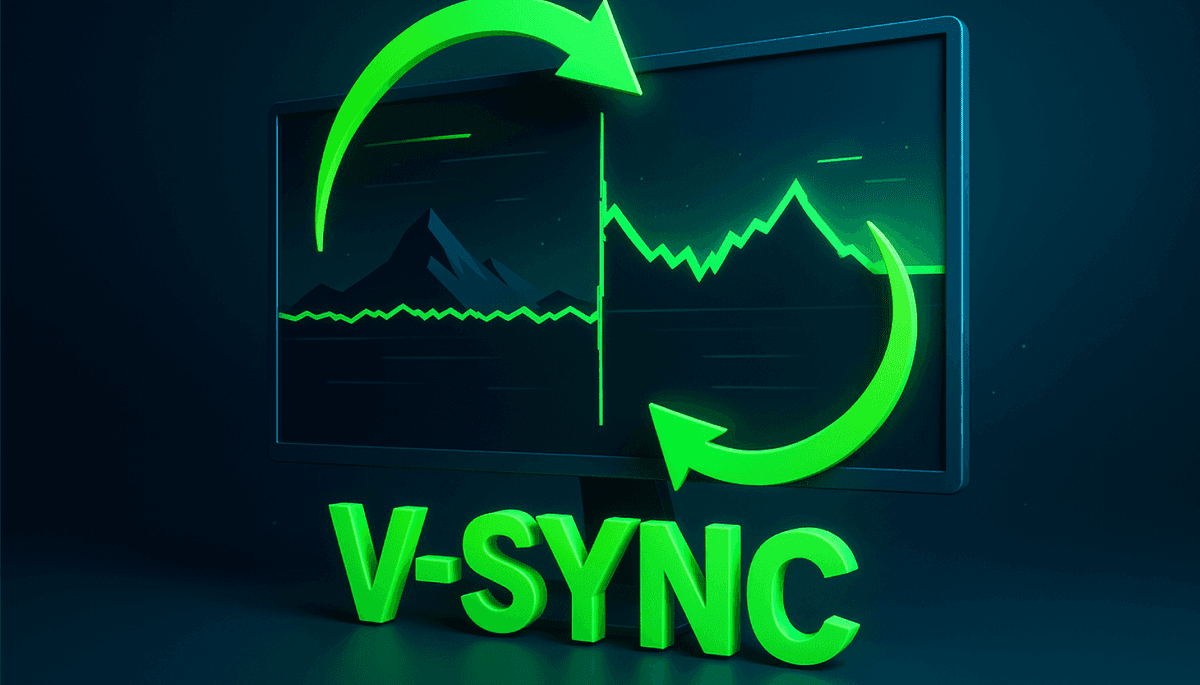
VSync (Vertical Synchronization) is a technology that synchronizes the frame rate of your graphics card with the refresh rate of your monitor.
The goal is to ensure that the monitor’s refresh rate (for example, 60 Hz) matches the number of frames the GPU produces per second (FPS).
When VSync is enabled, the graphics card waits before sending frames that exceed the monitor’s refresh rate. This prevents a problem known as screen tearing, where parts of multiple frames appear on the screen simultaneously.
Why Was VSync Created?
In many games, graphics cards can produce hundreds of frames per second. However, if your monitor is limited to 60 Hz, it can only display 60 frames per second.
This difference causes two frames to overlap on the screen at the same time.
As a result:
- The alignment between the top and bottom of the image becomes inconsistent.
- A “torn” visual effect appears on the screen.
VSync was developed to synchronize these two devices and eliminate this issue.
How Does VSync Work?
When VSync is enabled, the graphics card synchronizes each frame with the monitor’s refresh cycle, displaying frames at a consistent rhythm.
Here’s how it works:
- The GPU renders a frame.
- It waits until the monitor finishes displaying the previous frame.
- The new frame is then displayed in sync with the monitor’s refresh cycle.
This process ensures visual consistency and eliminates tearing.
What Does Enabling VSync Do?
Turning on VSync provides a smoother visual experience, especially in scenes where screen tearing is noticeable.
Key advantages of VSync:
- Prevents screen tearing.
- Ensures more stable frame transitions.
- Stops the GPU from producing unnecessary high frame rates.
This helps reduce eye strain and creates a more polished gaming experience.
What Are the Disadvantages of VSync?
Although VSync improves image quality, it can sometimes cause performance drawbacks—especially noticeable in competitive gaming.
Possible disadvantages:
- Input lag may occur since FPS is limited to the monitor’s refresh rate.
- FPS fluctuations can become more noticeable on weaker hardware.
- Competitive advantage may be reduced in games requiring fast reaction times (like FPS or MOBA titles).
Therefore, it’s not always ideal to keep VSync enabled.
When Should You Enable VSync?
VSync is most suitable for games where visual quality is prioritized.
If you notice screen tearing while gaming, enabling VSync is the right choice.
However, in competitive games (such as Valorant, CS2, or Apex Legends), where response time is critical, it’s often better to keep it off.
In general, enable VSync when:
- You experience screen tearing.
- You’re playing cinematic or story-driven games.
- Your system is powerful and provides stable FPS.
On the other hand, for weaker systems with fluctuating FPS, disabling it may offer smoother performance.
What Are the Alternatives to VSync?
Hardware manufacturers have developed advanced synchronization technologies to reduce VSync’s drawbacks. These methods dynamically synchronize refresh rates, optimizing both image quality and responsiveness.
Popular VSync alternatives:
- G-Sync (NVIDIA): Dynamically adjusts the monitor’s refresh rate to match the GPU’s FPS output.
- FreeSync (AMD): Uses variable refresh rate technology to minimize input lag.
- Adaptive Sync: A VESA standard supported by both NVIDIA and AMD cards.
These technologies offer smoother and more responsive gameplay compared to traditional VSync.
How to Enable or Disable VSync
Turning VSync on or off is simple. You can do it either from in-game settings or through your graphics card’s control panel.
Steps to enable VSync:
- Open your game’s “Graphics Settings” menu.
- Find the option named “VSync,” “Vertical Sync,” or “Vertical Synchronization.”
- Toggle it to “On” or “Off,” depending on your preference.
- You can also manage this setting globally via the NVIDIA or AMD control panels.
VSync helps achieve perfect harmony between your graphics card and monitor, eliminating screen tearing. However, it should be used wisely.
If your priority is visual quality, turn it on. If your focus is speed and competitive performance, keep it off.